Upgrade is complete
Please refresh your browser cache if the new Oria is behaving unexpectedly.
What do you need to do?
The most important thing is to note the new link to Oria, and you should sign in and check your user account.
New link to Oria
https://bibsys-k.primo.exlibrisgroup.com/discovery/search?vid=47BIBSYS_UBO:UIO
Links to the old Oria will not be redirected automatically. If you have bookmarks or links to Oria, you need to update them from 13 January.
The short links uio.oria.no and oria.no will automatically go to the new Oria from 12 January. You can use these just like before.
Check saved searches and user settings
Saved records under My Favorites will be automatically transferred to new Oria on 12 January. Please check that they're in place from 13 January.
Saved searches and search history will not be transferred. Find your saved searches in old Oria before 31 January and recreate them in new Oria if you still need them.
Your settings for search history and search session will be reset. Please log in and customize your settings after the upgrade.
What's new?
The new Oria has an updated, brighter UiO look, but will still feel familiar to you, with most features working in the same way.
The system received technical improvements that give better performance and faster access to new titles.
We've made changes to tidy up the interface and added lots of new functionality.
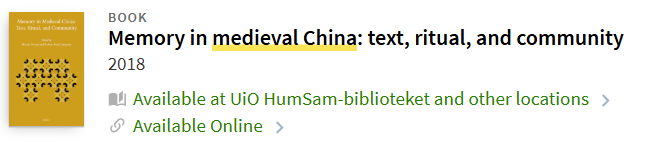
Cleaner and better results list
We've removed duplicates and unnecessary information from the results list, combined print and electronic access, and added information about the owning library.
Bulk export of search results
You can export up to 5000 results to Excel, BibTeX or EndNote (RIS).
- Click the multiple items checkbox above the search results. A toolbar will appear above the results.
- Choose Export all results and choose your export format, file type/encoding and enter your email address. The results will be sent to you by email.
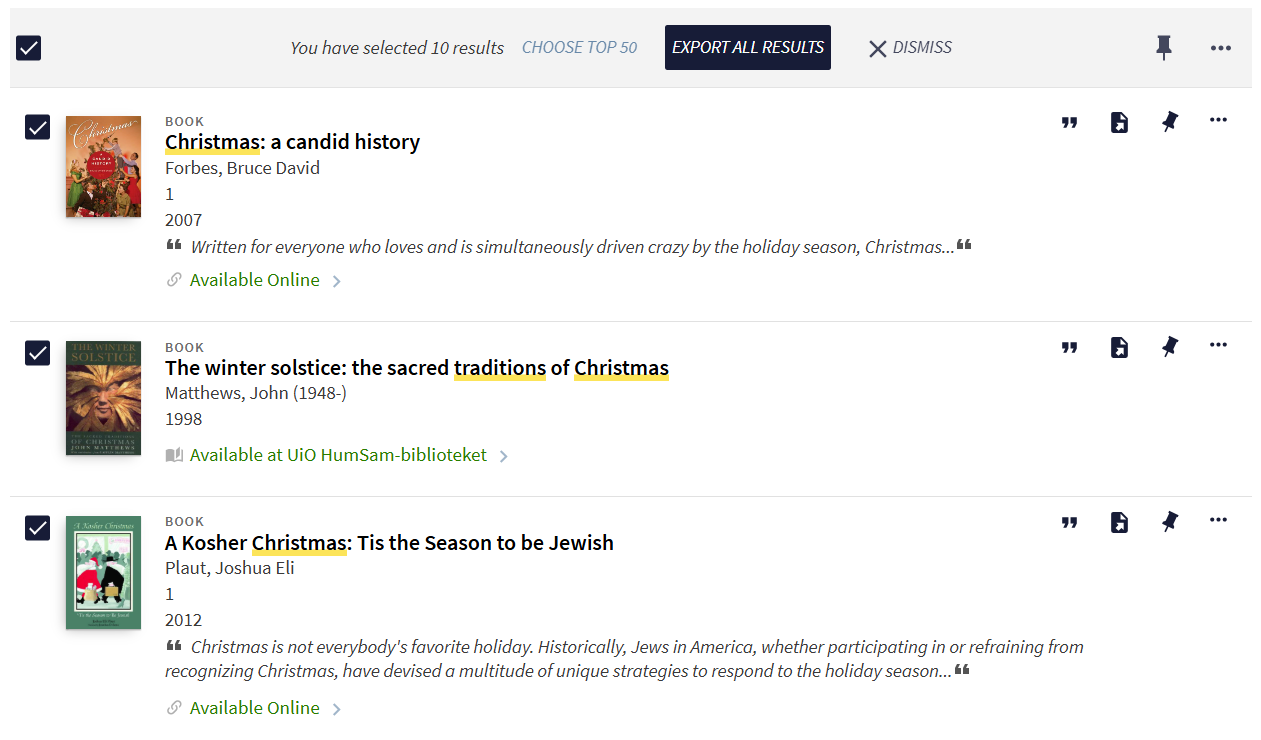
Alternatively, export only selected items (up to 50 results) by clicking the more options (...) button at the right of the toolbar.
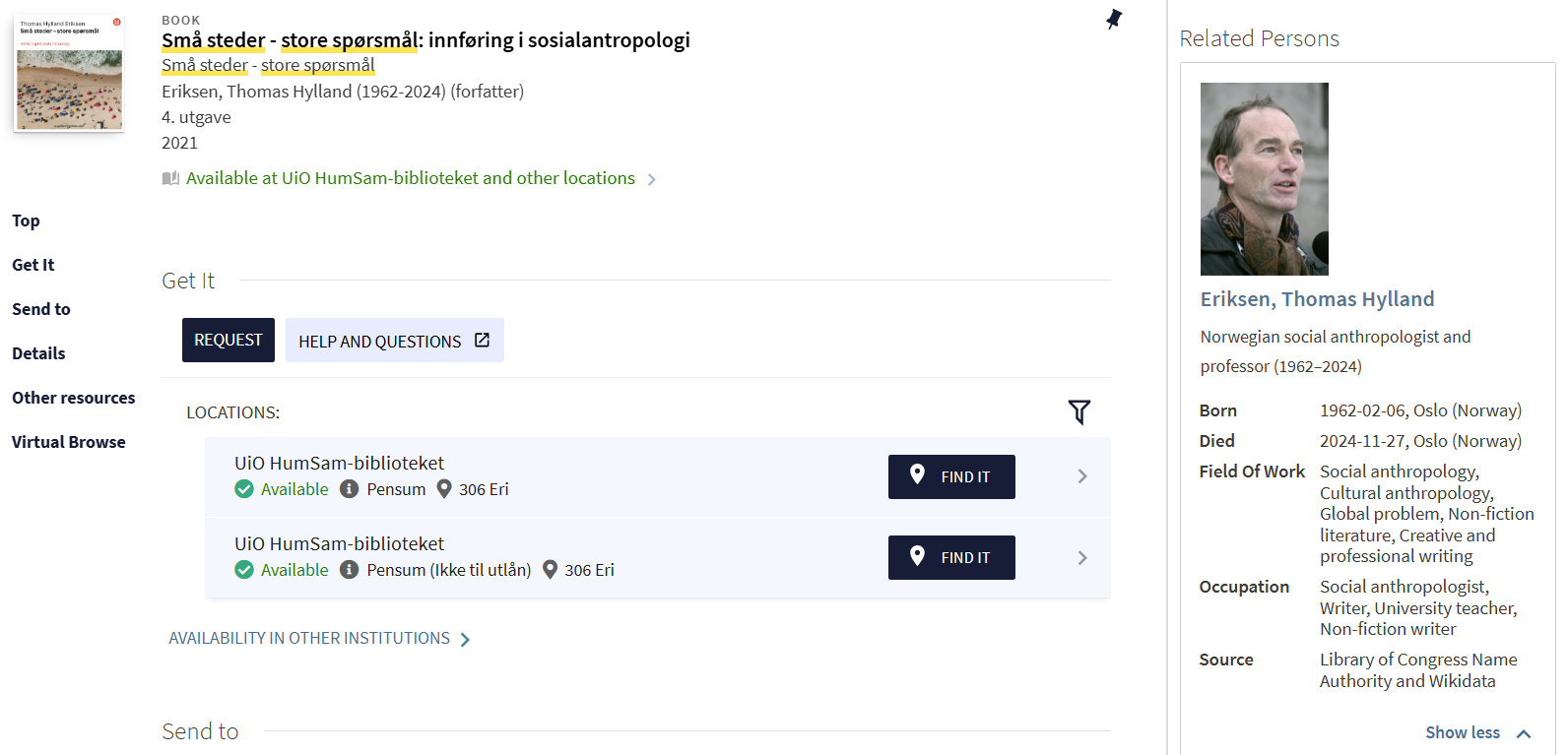
Related persons
For many records, when you open them, you'll see person information for authors, contributors and other related people.
Click the name to go to a person page with an overview of other titles in the library written by or about the person, as well as other people associated with them.
Search inside journals
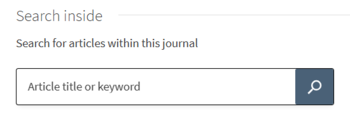
Get search results from a key publication.
- Select a journal, magazine or newspaper search result.
- Scroll down the page to find the Search inside box and enter keywords to limit your search results to that publication.
Other changes
- Collection Discovery (in the top menu) is being reconstructed and is temporarily unavailable.
- The Master theses filter has been removed from the filter bar under the search box because UiO master theses are currently not searchable in new Oria.
- Advanced search:
- Search Filters, Material Type and Language menus have been adjusted.
- New search type 'equals exact phrase' for searching title, author or subject that only consists of the phrase and no other terms.
- Facets/filters:
- New filter for 'Available on shelf'
- 'Library collections' filter is no longer available
- Filters for 'Print books', 'E-books', 'Print journals' and 'E-journals' are no longer available. Instead please filter by 'Available online' or 'Physical items' combined with 'Books' or 'Journals'.
- 'Library' is relabelled as 'Location'
- 'Institution' is relabelled as 'Other Academic Libraries'
- 'On reading lists', 'Bibliography' and 'Series' are no longer available
- Course material is marked in the results list and has new features in the full record display.
Contact us
If you have questions or want to give us feedback on new Oria, you're welcome to email ub-alma@ub.uio.no or use our feedback form.