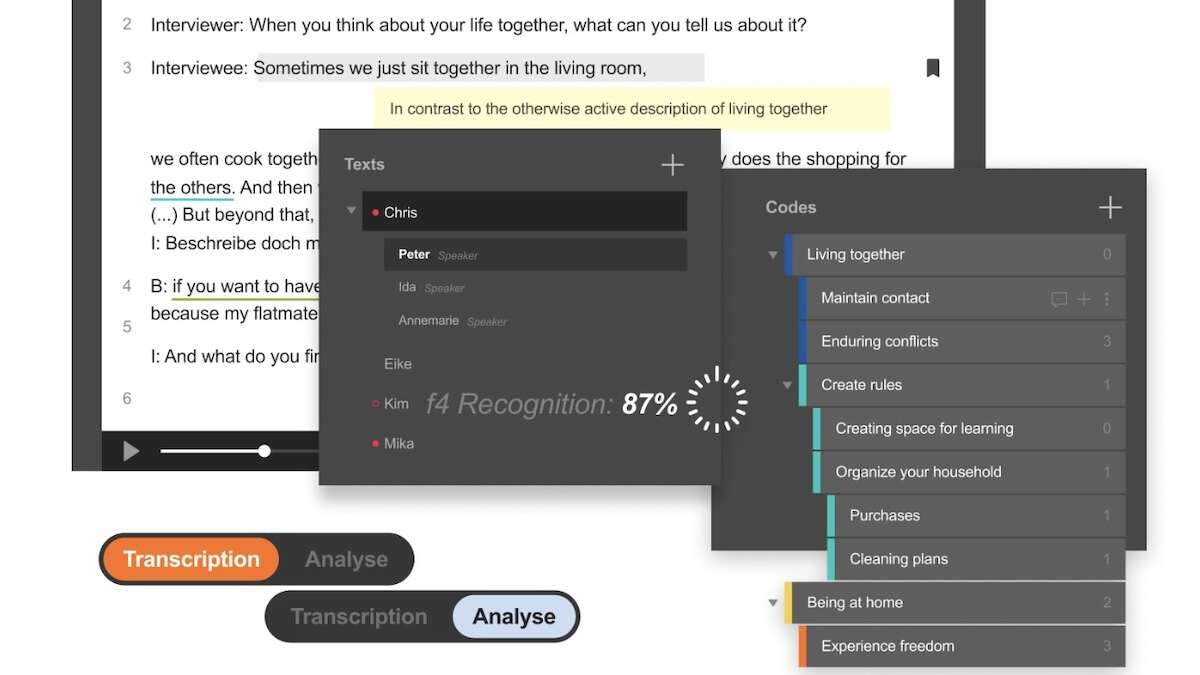
CAQDAS stands for Computer-Assisted Qualitative Data Analysis Software. UiO provides access to two CAQDAS: f4 and NVivo.
Target group
Open to all students and employees at the UiO and OUS.
Well-suited for those who are looking for a CAQDAS tool with a quick learning curve.
CAQDAS: f4 or NVivo?
f4 is a lightweight tool for creating and/or editing audio and video transcriptions (e.g. from UiO's Autotekst), and coding and analyzing text data. Accepts only text files (plain text and word documents without illustrations).
- Why f4? Select f4 if you are analyzing transcriptions or simple text files and want to use a coding tool with a quick learning curve.
- If you primarily want to code, annotate, and compare codes and annotations (memos) across files, select f4.
NVivo is a comprehensive software for mixed-method qualitative multimedia data analysis. Accepts many formats.
- Why NVivo? Select NVivo if you are analyzing more than simple text files, including results from surveys (e.g. Excel files from Nettskjema), articles and documents in PDF, pictures, multimedia, and illustrated files. You can import a range of formats, including your Zotero bibliography with full texts and notes.
- If you would like to look at codes across variables and attributes (e.g. informant variables), also select NVivo.
Learning outcomes
After attending the course you will:
- Understand the user interface and concepts
- Be familiar with central functions and how to use these
- Be able to import, edit, code, annotate, retrieve, and compare
Sign up!
Practical information
Please bring your computer with f4 or Omnissa for UiO Programkiosk installed.
Installation
- f4 is available in UiO Programkiosk, Educloud and TSD (PI must install in TSD)
- For installation on UiO machine:
- f4 is available for PC from Software Center and Company Portal
- f4 is available for Mac from macprog.uio.no (with VPN)
- For installation on private machine:
- f4 is available from winprog.uio.no and macprog.uio.no(both with VPN)
- For using f4 in UiO Programkiosk, download Omnissa
Preparation
Take a look at the recommended workflow with Autotekst + f4.
Working methods
Demonstration with practical examples and exercises.
Instruction in English unless everyone is competent in Norwegian, and we can also answer questions in Norwegian.
Lecturer
Questions about course? Contact course instructor at anne.sabo@ub.uio.no
Other questions about f4? Contact us at nvivo-guru@ub.uio.no