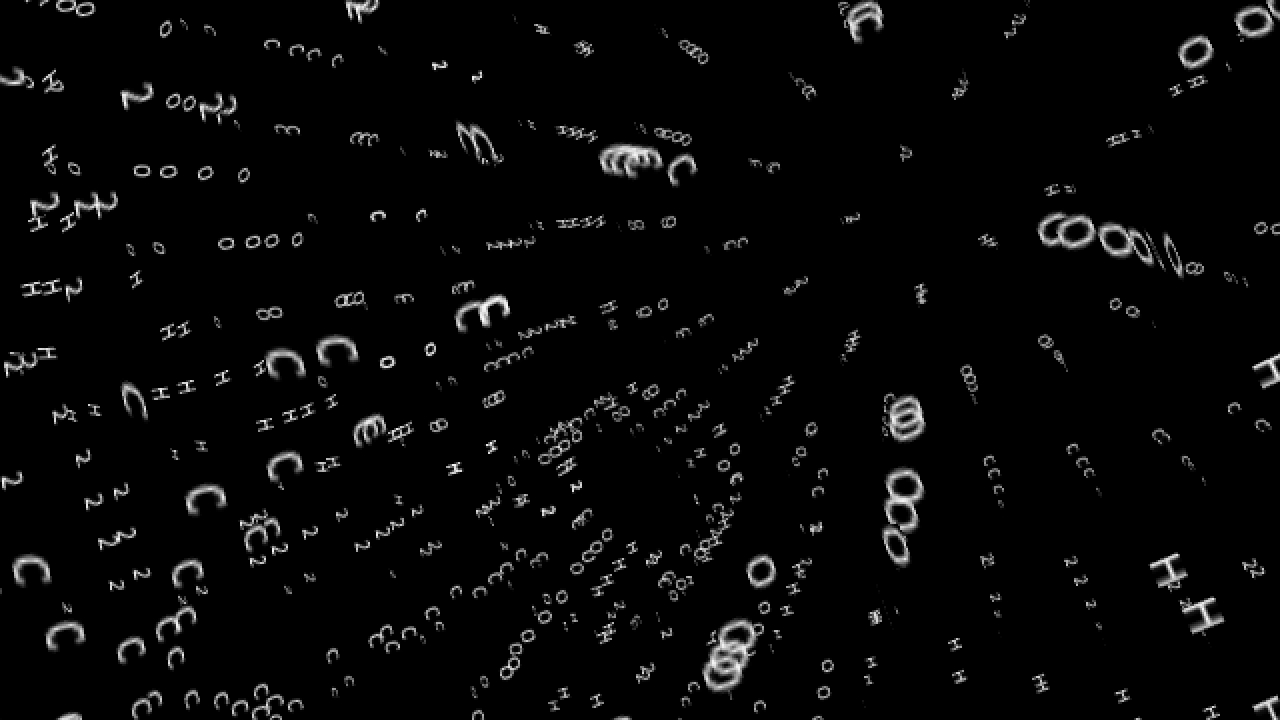
In the tutorial, we explore the P3D renderer and create a typographic sphere in which I apply a simple sin() wave motion to. I am using Processing to create my animation, a java based programme. To begin with, I created a 2d grid with nested loops. This 2d grid can be extremely useful and flexible while being fairly simple. It is the basis for plenty of my work. I then apply the wave onto the x and y axis. We can play around with the different values and create a wave we desire. Using the parametric equation, we then shift from a 2d grid to a 3d sphere. The library Peasy is also introduced, a built-in camera in P3D that can be freely moved using our mouse. To make things more interesting, I then used text to create our sphere. This gives off a modern aesthetic and thought it would be helpful to see how text works in Processing.
Source code:
import peasy.*;
PeasyCam cam;

//GLOBE TUTORIAL

int cols = 20;
int rows = 20;

String s = "C2HOC2HOC2HOC2HOC2HOC2HOC2HOC2HOC2HOC2HOC2HOC2HOC2HOC2HOC2HOC2HOC2HOC2HOC2HOC2HOC2HOC2HOC2HOC2HOC2HOC2HOC2HOC2HO";
String[] input = s.split("");
float inputL = input.length;

float waveSize = 60;
float t;
float speed = 0.05;

float phi, theta;
float globeRadius = 400;
float txtSize;

PFont font;

void setup() {
  size(900,900,P3D);

  font = createFont("AktivGrotesk-Regular.ttf",txtSize);
  cam = new PeasyCam(this, 1000);
  frameRate(60);

  fill(255);
  noStroke();


  phi = 2*PI/rows;
  theta = PI/rows;
}

void draw() {
  background(0);

  for (int j = 0; j < cols; j++) {
    for (int i = 0; i < inputL; i++) {

       float thisRadius = globeRadius * sin(j*theta);
       txtSize = (2*PI*thisRadius/(inputL*1.5));

      //wave
      float w = cos(i*0.5+j*0.5+t)*waveSize;

      float globeWave = globeRadius+w;

      float x = globeWave*sin(j*theta)*cos(i*phi);
      float y = globeWave*sin(j*theta)*sin(i*phi);
      float z = globeWave*cos(j*theta);

      pushMatrix();
      translate(x,y,z);
      rotateX(radians(w));
        textFont(font,0.1+txtSize);
      text(input[i],0,0,0);
      popMatrix();


    }
  }
  t+= speed;
}
Author's Instagram: https://www.instagram.com/andreiongd
© Andreion De Castro 2024, Some Rights Reserved
Except where otherwise noted, this work is licensed under https://creativecommons.org/licenses/by/4.0/